
I’ll be honest!!! A couple of years ago, I was skeptical of AI writing tools. Every article I read regarding best AI tools simply felt like it was written by the same person wearing a different hat. Same rhythm, same “in today’s fast-paced digital world” openers, same hollow advice.
That’s changed a lot. In 2026, the gap between “obviously AI” and “actually useful” content has gotten wide, and it mostly comes down to which tools you use and how you use them. Some genuinely save hours. Others just create more editing work than they’re worth.
So instead of another generic listicle, here’s what I’ve actually found useful as a writer trying to sound like myself and still rank on Google, plus what to skip.
Do Writers Actually Need Top AI Tools in 2026?
In short, not all of them, but a couple, probably yes.
If you’re publishing consistently let’s say, more than once a week then, the bottleneck usually isn’t ideas. It’s time. Research takes time. Structuring an article so it doesn’t ramble takes time. Catching your own typos takes time (turns out you can’t proofread your own writing well; your brain autocorrects it). AI tools are good at chipping away at exactly these time-sinks.
What they’re not good at: knowing what your readers actually care about, injecting a real opinion, or telling a story from your own experience. That part’s still on you, and honestly, that’s the part readers remember anyway.
How I Picked These Tools
Honestly, I didn’t just grab the first “top 10” list I found. Every tool here had to pass a few basic tests:
- Does the output need heavy rewriting, or is it usable as a starting point?
- Is there a free plan, or at least a real trial just not a 3-day teaser?
- Does it solve one problem well, instead of promising to do everything?
- Would I actually recommend this to a friend starting a blog with zero budget?
The AI Writing Assistants Worth Using
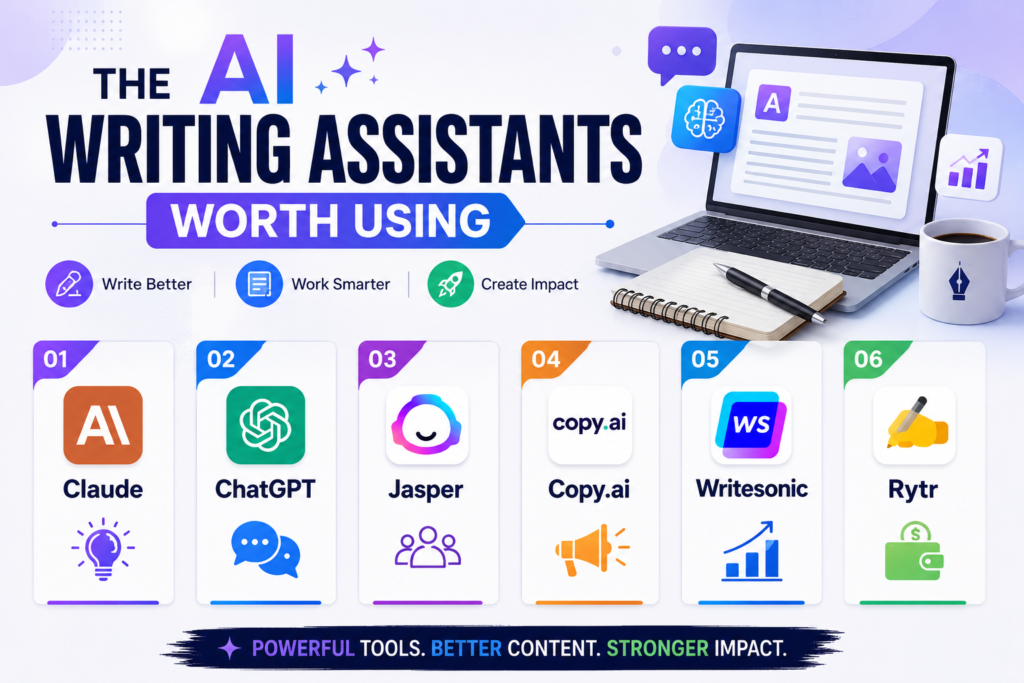
Hers’s a list of best AI tools for writing, editing, image creation, SEO and many more.
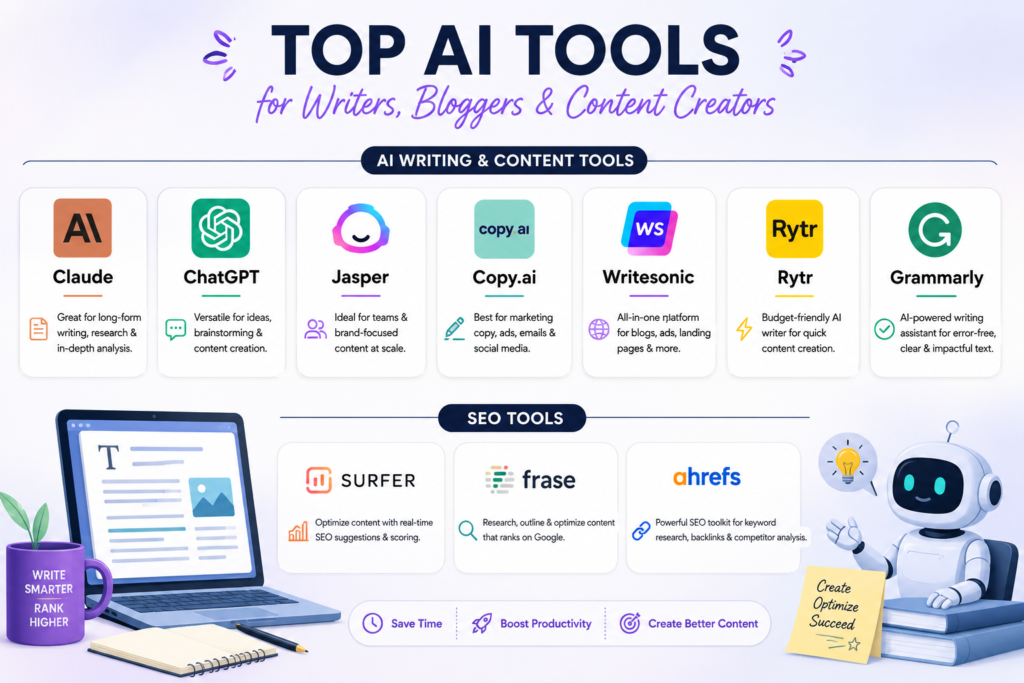
1. Claude
This is the one I reach for when I’m writing something long and don’t want it to fall apart by paragraph six. Claude tends to hold onto the thread of an article like tone, structure, the argument you’re building that’s better than most tools, which matters a lot for in-depth blog posts that aren’t just glorified bullet lists.
It won’t score your content against competitors or tell you your keyword density. That’s not what it’s for. Think of it as the actual writing partner, not the SEO checklist.
2. ChatGPT
Still one of the most flexible options out there, especially if you like building custom setups for your niche. It’s a strong brainstorming partner and handles rewrites well. Where it falls a bit short is structured SEO work or you’ll want a second tool for that part.
3. Jasper
Built more for teams and brands that need consistency across dozens of writers. If you’re a solo blogger, it’s probably more than you need, and the price reflects that.
4. Copy.ai
Leans hard into marketing copy like think ad lines, product descriptions, quick social captions. Less useful if your goal is long, in-depth blog content, but solid if you’re juggling a newsletter and social posts too.
5. Writesonic
A decent middle ground as it writes and has some built-in SEO tools bolted on, so if you want one subscription instead of three, this is worth a look.
6. Rytr
The budget pick. Don’t expect polish, but if you’re just starting out and can’t justify a $30/month tool yet, it gets the job done with more editing on your end.
Grammar and Editing: Where Grammarly Still Wins
Grammarly isn’t trying to write your article for you, and that’s exactly why it’s still useful. It catches the stuff you miss after reading your own draft for the fifth time like awkward phrasing, tone that reads harsher than you meant, passive sentences that quietly drain the energy out of a paragraph. I run almost everything through it before hitting publish, even after using an AI writing tool for the first draft.
SEO Tools: The Part Most “AI Writing” Guides Skip
Here’s the truth nobody likes to hear: writing well and ranking well are related, but they’re not the same skill. You can write a genuinely great article and still get buried on page 4 if it’s not structured the way search engines (and skimming readers) expect.
1. Surfer SEO
Surfer looks at what’s already ranking for your target keyword and scores your draft against it like word count, structure, related terms you might be missing. It’s blunt but effective, especially if you tend to under-cover a topic.
2. Frase
Frase does the research-brief part really well and it pulls together what top-ranking pages cover so you’re not manually opening fifteen tabs. Nice for planning before you write, not just after.
3. Ahrefs
More of a research tool than a writing one. I use it before I even open a document, to check if a keyword is worth writing about at all, and what the competition actually looks like.
Visuals and Repurposing (Because Blogs Aren’t Just Text Anymore)
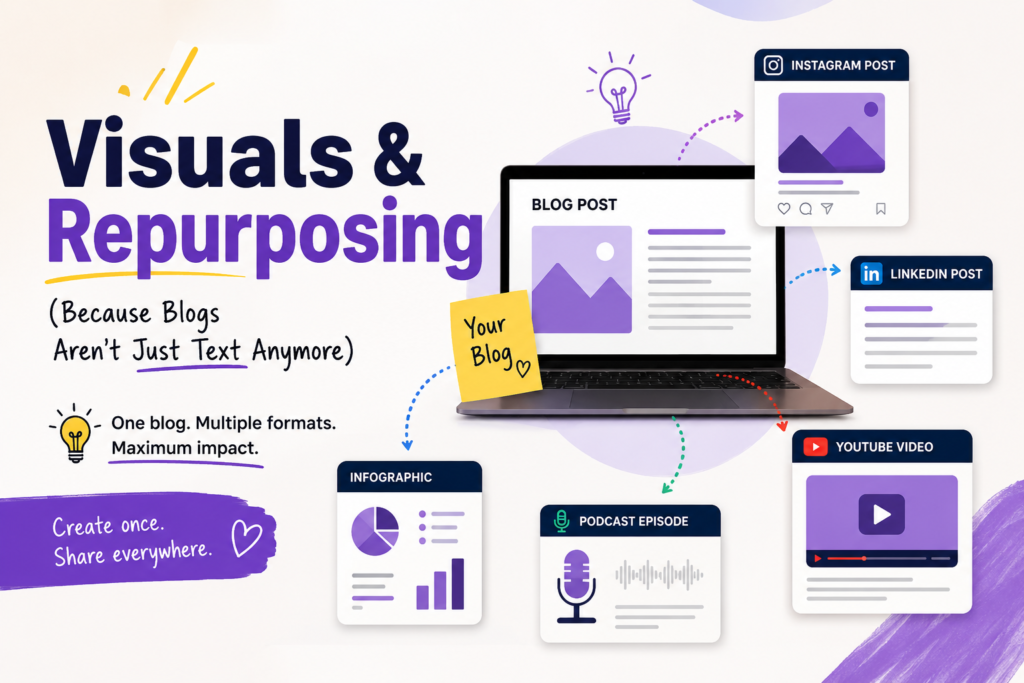
A blog post with no visuals feels dated in 2026. Canva AI is the easy button here — Magic Design and quick background removal cover 90% of what a blogger needs without touching Photoshop. If you want images that don’t scream “stock photo,” Midjourney is still the standout for original visuals.
If you’re repurposing blog content into video or social clips, Opus Clip turns long-form video into shareable cuts automatically, and Descript makes podcast/audio editing far less painful than it used to be.
Quick Comparison: What Each Tool Is Actually For
| Tool | What it’s genuinely good at | Free plan? | Skip it if… |
| Claude https://claude.ai/login | Long-form writing that stays coherent | Yes (limited) | You only need short social captions |
| ChatGPT | Brainstorming, flexible rewrites | Yes (limited) | You want built-in SEO scoring |
| Jasper | Brand consistency across a team | No | You’re a solo blogger on a budget |
| Copy.ai | Short marketing copy, ad lines | Yes (limited) | You mainly write long-form blogs |
| Writesonic | Writing + basic SEO in one place | Yes (limited) | You want best-in-class at either |
| Rytr | Budget-friendly first drafts | Yes (limited) | You want minimal editing after |
| Grammarly | Catching what you missed on re-read | Yes (limited) | You need content generated, not polished |
| Surfer SEO | Scoring drafts against what ranks | No | You’re not writing for search traffic |
| Frase | Research briefs before you write | Limited trial | You already have a solid content brief process |
| Ahrefs | Keyword and competitor research | No | You just need writing help, not research |
| Canva AI | Fast blog and social graphics | Yes (limited) | You need fully custom, original art |
| Midjourney | Original, non-stock imagery | No | You just need quick social graphics |
Note: Pricing shifts constantly in this space — double-check current plans on each tool’s site before you commit.
Free vs. Paid — Which One Should You Actually Pay For?
| Free Tools | Paid Tools | |
| Makes sense if | You post occasionally or you’re still testing your workflow | You publish weekly (or more) and time is the real cost |
| The trade-off | Usage caps, fewer advanced features | Monthly cost stacks up if you’re not publishing enough to justify it |
| My honest take | Start here. Don’t pay for anything until a free plan’s limits actually annoy you | Once a tool’s limits are slowing you down weekly, it’s paid its way already |
A Workflow That Actually Works (Not Just a Tool List)
If I had to boil this down to one paragraph: research your keyword with Ahrefs or Frase, draft with Claude or ChatGPT, run it through Grammarly, check structure against Surfer if ranking matters, then add a Canva graphic before publishing. That’s four tools, not fourteen, and it covers the whole pipeline without turning your workflow into a subscription graveyard.
The order matters more than the tools themselves. Research before you write. Write before you optimize. Polish last. Skip a step and it usually shows.
FAQs
- Is it worth using more than one AI tool, or should I just pick one?
Realistically, one tool rarely covers writing, editing, and SEO equally well. Most bloggers end up with two or three — a writing assistant, a grammar checker, and something for SEO — rather than one do-everything platform. - Will Google penalize AI-written blog posts?
No, not for using AI itself. Google’s guidance has consistently focused on content quality and usefulness, not the process behind it. Thin, unedited AI output tends to rank poorly — but that’s true of thin, unedited human writing too. - What’s the best free AI writing tool for beginners?
Claude and ChatGPT both offer usable free tiers, and Grammarly’s free plan covers basic grammar and clarity checks. That combination alone is enough to start a blog with zero budget. - Do I still need to edit AI-generated content myself?
Yes, every time. Fact-check anything specific (stats, dates, claims), rewrite anything that sounds generic, and make sure your own opinion or experience actually shows up somewhere in the piece. - Which AI tool is best specifically for SEO, not just writing?
Surfer SEO and Frase are both built around SEO rather than general writing — they analyze what’s already ranking and help you match or beat it structurally. - Can AI tools replace hiring a writer or content team?
For a solo blog or small site, yes, largely. For a business publishing at real scale with brand consistency across writers, AI tools speed things up but usually still sit alongside human editors, not instead of them.
Conclusion
There’s no single “best AI tool for writers in 2026”, there’s a best tool for whatever’s actually slowing you down. If drafting takes too long, start with Claude or ChatGPT. If your posts aren’t ranking, the fix is probably Surfer or Frase, not a fancier writing model. And if your writing just needs a final polish, Grammarly still does that job better than anything fancier.
Pick one gap, fix it with one tool, and only add more once you actually feel the next bottleneck. That’s a more honest way to build a toolkit than downloading everything on a “top 20” list and never using half of it.
